All-in-One Social Media Safe Zone Checker
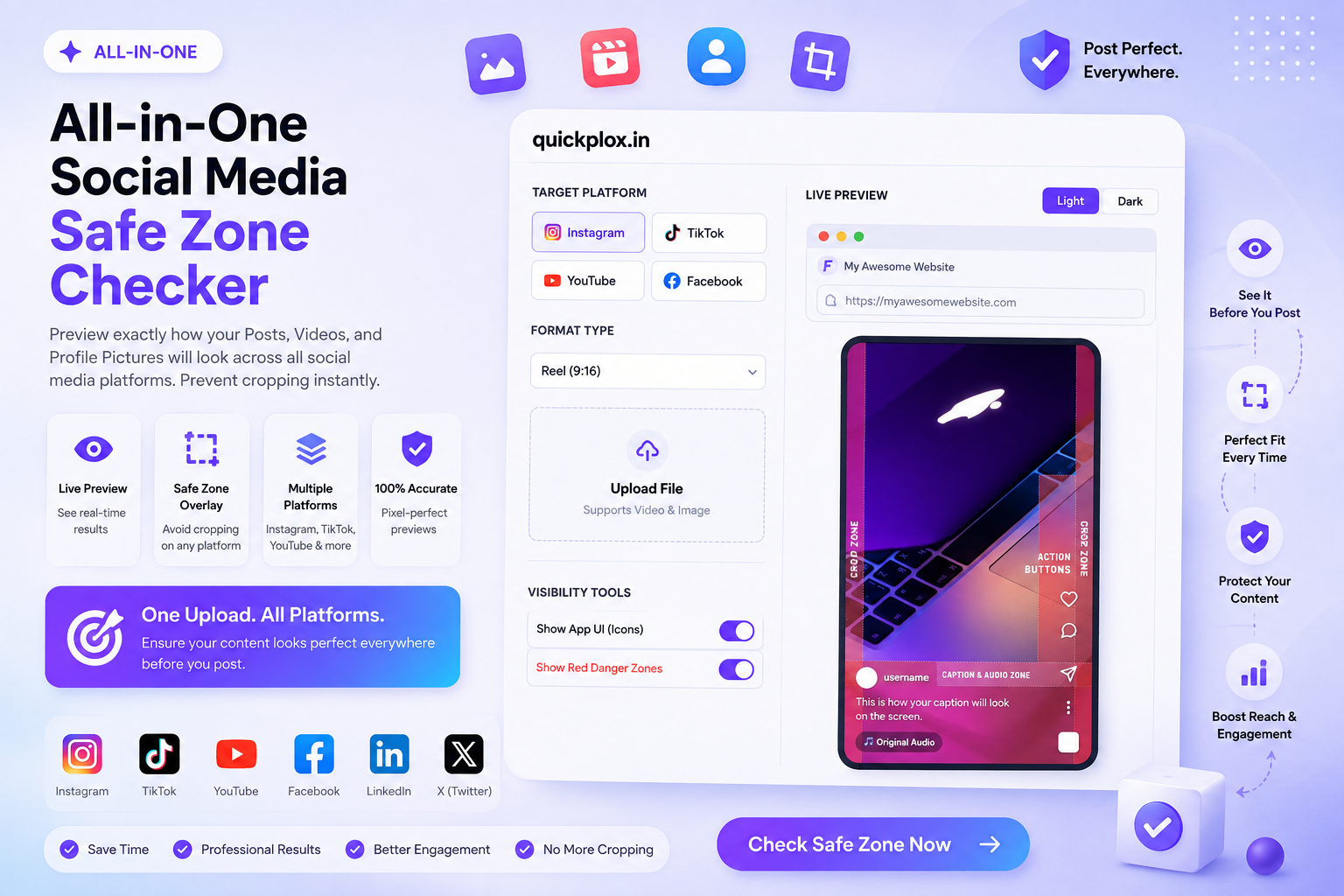
Preview exactly how your Posts, Videos, and Profile Pictures will look across all social media platforms. Prevent cropping instantly.
*You can also click and drag the image on the right to position it perfectly within the safe zone.

The Ultimate Social Media Safe Zone Checker & Logo Previewer
Our free social media safe zone checker is an essential all-in-one toolkit designed specifically for digital creators, social media managers, and brand identity designers. Whether you are editing a viral Instagram Reel, producing a YouTube Short, or trying to perfectly align your company’s logo for a new profile picture, this social media safe zone checker ensures your content looks flawless across every device. We eliminate the guesswork by providing exact overlay mockups for all major platforms.
Uploading a video only to realize your important captions are hidden behind the “Like” and “Share” buttons is incredibly frustrating. Our social media safe zone checker solves this problem instantly, directly within your web browser, with zero server uploads required.
Mastering Video & Post Safe Zones (Reels, TikTok, Shorts)
Every platform uses a different user interface (UI) layout. What looks perfect in your video editor might get ruined once uploaded. Utilizing a reliable social media safe zone checker helps you identify “Danger Zones” before hitting publish.
- 9:16 Vertical Video Formats: Platforms like TikTok, Instagram Reels, and YouTube Shorts use a 1080 x 1920 pixel resolution. Our social media safe zone checker overlays a precise red blueprint so you know exactly where to place your text.
- 4:5 Portrait & 1:1 Square Posts: When publishing standard feed posts, utilizing the correct aspect ratio is crucial to maximize screen real estate without unwanted cropping.
- 16:9 Landscape Layouts: For traditional YouTube videos and thumbnails, elements like the duration timestamp can obscure visual information.
The Perfect Logo Safe Zone Checker (DP Cropper)
Creating a stunning logo using our Glassmorphism Generator is only the first step. Ensuring that logo fits perfectly into a brand’s social profile is equally important.
The second tab of our social media safe zone checker allows you to upload any high-resolution image, pan it seamlessly, and zoom in to establish the perfect visual hierarchy. Once aligned within the circular safe mask, you can export the perfectly cropped asset.
How to Use This Safe Area Preview Tool
We have engineered this social media safe zone checker to be blazing fast and incredibly user-friendly. Follow these steps based on your specific content needs:
- Select Your Workflow: At the top of the social media safe zone checker, click “Social Posts & Reels” if you are checking video visibility, or select “Logo & DP Zoom” if framing a profile picture.
- Choose the Platform: Select your target destination, such as Instagram, TikTok, Facebook, or YouTube. The mockup screen will automatically resize to match the exact aspect guidelines specified by official developer documentations.
- Upload and Analyze: Upload your media file. Toggle the “App UI” and “Danger Zones” switches to visualize exactly how the platform’s interface will overlay on top of your content.
- Export (For Logos): If you are using the logo editor, adjust the zoom slider, drag the image to center it, and click the export button.
Frequently Asked Questions (FAQs)
What is a social media safe zone?
A safe zone is the specific area within a video or image where text and critical visual elements can be placed without the risk of being cropped. A good social media safe zone checker shows you exactly where these safe areas are across different devices.
Will uploading my video consume my internet data heavily?
No, utilizing our social media safe zone checker consumes zero upload data. The tool utilizes modern HTML5 Local File APIs, meaning your heavy MP4 or MOV video files are processed entirely inside your local browser. They are never uploaded to our servers, ensuring maximum privacy.
How do I stop my profile picture from being cropped?
Most platforms use a circular crop for profile pictures. To prevent your logo from being cut off, switch to the DP tab in our social media safe zone checker. Upload your image, shrink the zoom slider until your entire logo fits inside the red circular mask, and export it safely.