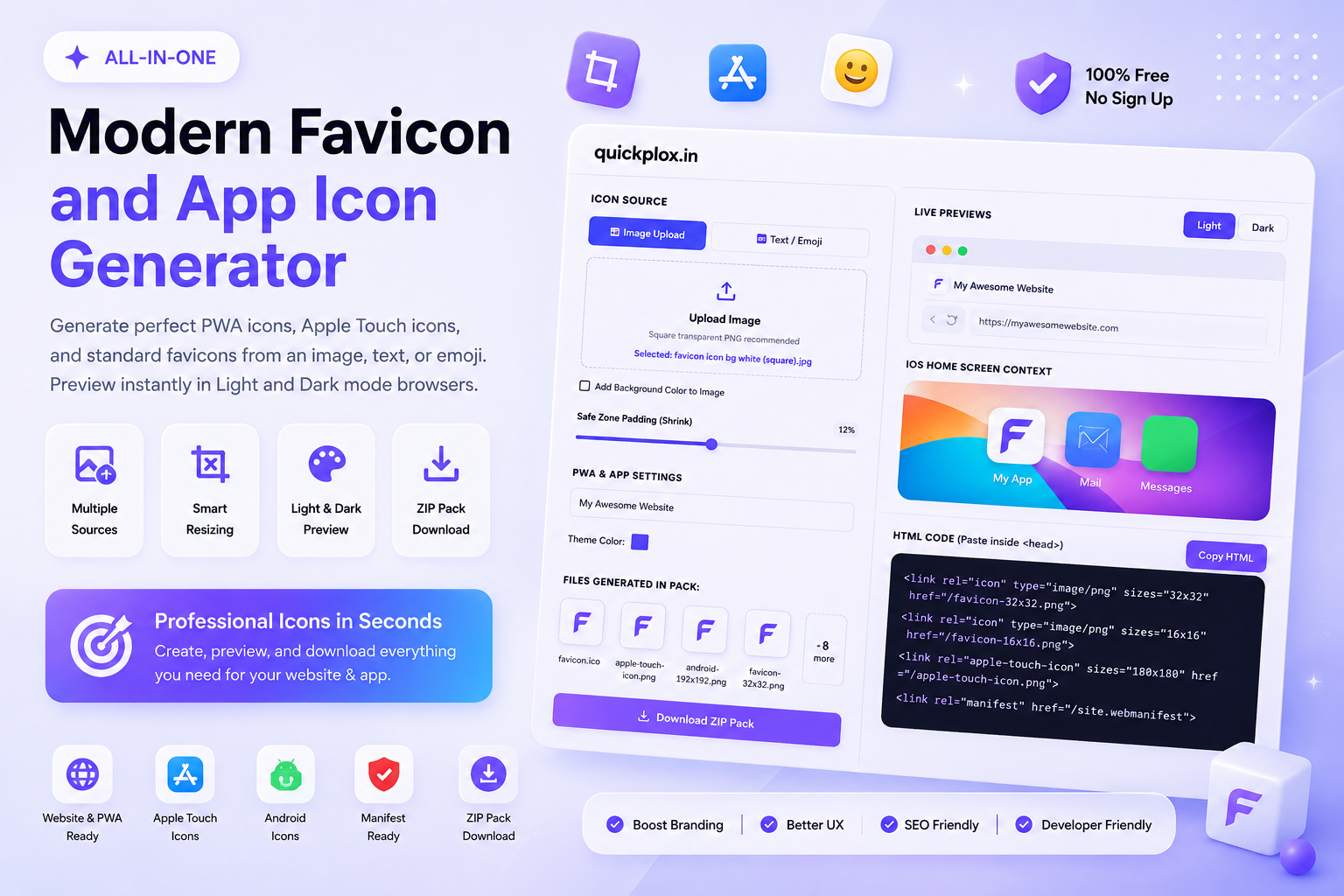
Modern Favicon and App Icon Generator
Generate perfect PWA icons, Apple Touch icons, and standard favicons from an image, text, or emoji. Preview instantly in Light and Dark mode browsers.
Live Previews
<link rel=”icon” type=”image/png” sizes=”32×32″ href=”/favicon-32×32.png”> <link rel=”icon” type=”image/png” sizes=”16×16″ href=”/favicon-16×16.png”> <link rel=”apple-touch-icon” sizes=”180×180″ href=”/apple-touch-icon.png”> <link rel=”manifest” href=”/site.webmanifest”>
The Ultimate Free Favicon and App Icon Generator
Welcome to the most advanced, browser-based favicon and app icon generator available on the internet today. A favicon (short for favorite icon) is that tiny logo that appears next to your website’s title in a browser tab. While it may seem small, it is absolutely crucial for brand recognition, user trust, and overall web aesthetics. Launching a website without a proper favicon makes it look unprofessional and generic to your visitors.
Older generation tools often give you a messy ZIP file containing 20+ outdated image sizes that slow down your server. Our modern favicon and app icon generator is built specifically for the 2026 web development stack. We generate only the mathematically perfect sizes required for modern web browsers, iOS home screens, and Android PWA (Progressive Web App) installations.
Why Use Our Favicon and App Icon Generator?
We analyzed what developers and freelancers hated about traditional icon generators and fixed every single issue. Here is what makes our favicon and app icon generator truly exclusive and superior:
- Live Dark Mode Preview: A common mistake is uploading a transparent black logo that completely disappears when a user switches their browser to Dark Mode. Our live preview lets you toggle between light and dark themes instantly.
- Text & Emoji Engine: Don’t have a custom logo yet? Switch to the Text/Emoji tab in our favicon and app icon generator to instantly convert any letter or emoji into a perfectly centered, colorful website icon.
- Web Manifest Builder: Unlike basic tools, our generator automatically writes your
site.webmanifestJSON file. This allows Android devices to recognize your website as a downloadable mobile app. - Zero Server Load: All processing happens locally on your device via HTML5 Canvas, ensuring complete data privacy and lightning-fast generation.
Best Formats Supported By Our Favicon and App Icon Generator
Understanding which image format to use is vital for web performance. PNG (Portable Network Graphics) is the undisputed king of modern favicons because it supports lossless compression and true background transparency.
ICO (Icon format) is a legacy Microsoft format; however, our favicon and app icon generator still creates a fallback favicon.ico file just to keep older versions of Internet Explorer functioning correctly. We highly advise against using JPG/JPEG for app icons because they do not support transparent backgrounds, leaving an ugly white square around your logo. If you are ever unsure about your brand colors before generating, you can use our Smart Brand Color Extractor to find your exact HEX codes!
How to Install Files From Our Favicon and App Icon Generator
Once you click the download button on our favicon and app icon generator, you will receive a clean, organized ZIP pack. Follow these exact steps to install it properly on your website:
- Unzip the Package: Extract the downloaded folder. You will find standardized files like
favicon-32x32.png,apple-touch-icon.png, and yoursite.webmanifestfile. - Upload to Root: Using your hosting file manager or FTP client, upload all these files directly into the “root” directory of your website.
- Paste the HTML Snippet: Copy the code snippet provided in our tool’s interface. Paste it directly inside the
<head>tags of your website’s HTML code. - Clear Your Cache: Browsers cache favicons very aggressively. If you don’t see your new icon immediately, perform a hard refresh (Ctrl + F5).
Frequently Asked Questions (FAQs)
What sizes does this favicon and app icon generator create?
To keep your site fast, our favicon and app icon generator strictly creates the modern recommended sizes: 16×16 and 32×32 PNGs for desktop browser tabs, a 180×180 PNG specifically designed for the Apple iOS home screen, and 192×192 / 512×512 PNGs required by Mozilla’s PWA Manifest guidelines.
Is this favicon and app icon generator totally free?
Yes, our favicon and app icon generator is 100% free for both personal blogs and commercial client projects. Everything happens locally within your browser, ensuring zero hidden costs.
Why does Apple require a specific touch icon?
When iPhone or iPad users click “Add to Home Screen” on your website, iOS looks for a specific file named apple-touch-icon.png. According to Apple’s official Design Guidelines, this icon must have a solid background color. Our favicon and app icon generator handles this Apple-specific requirement automatically!