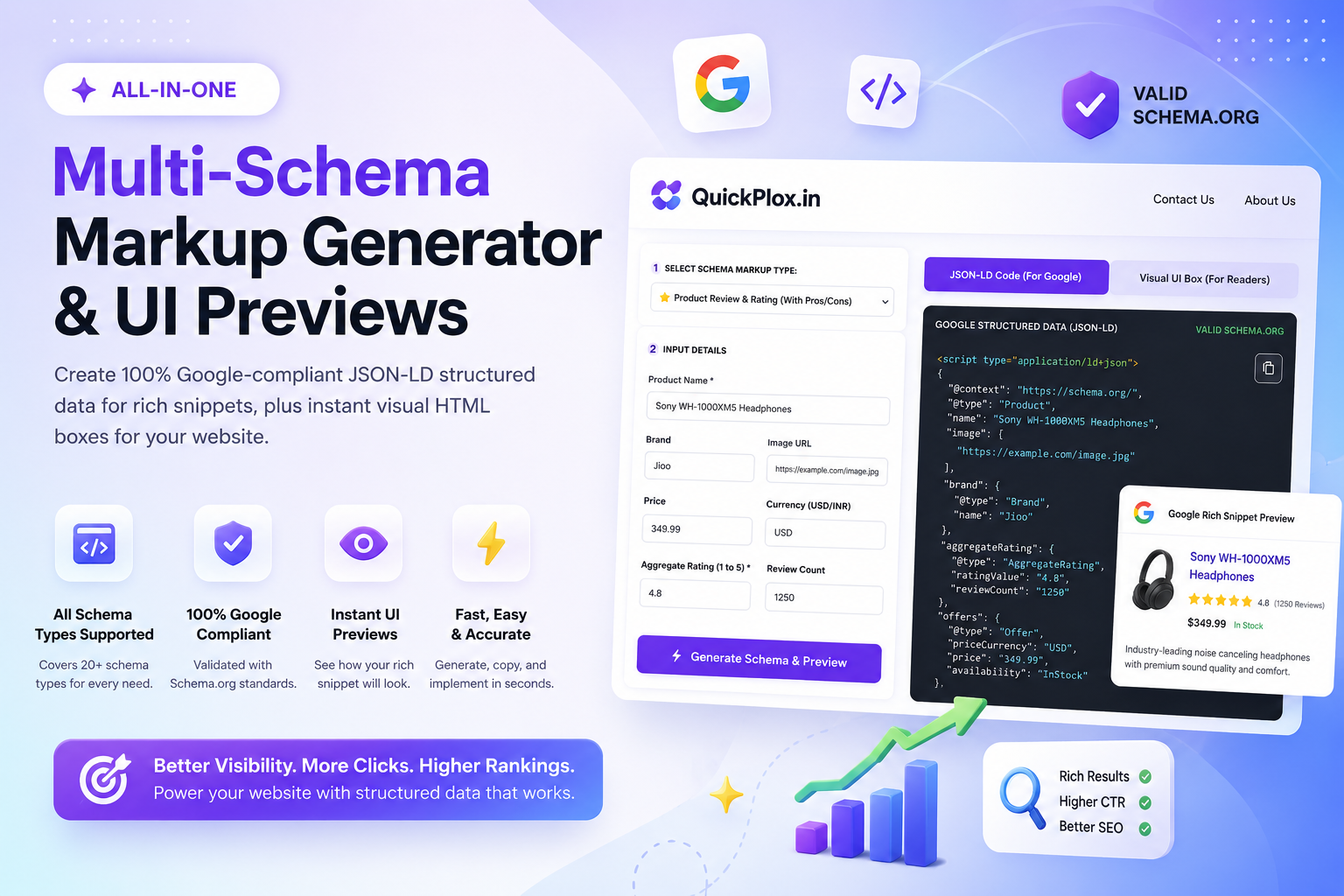
Multi-Schema Markup Generator & UI Visuals
Create 100% Google-compliant JSON-LD structured data for rich snippets, plus instant visual HTML boxes for your website.
The Best Schema Markup Generator for Ultimate SEO Growth
In the modern era of search engine optimization, writing great content is no longer enough. Search engines like Google, Bing, and Yahoo use automated bots to crawl your website. These bots prefer reading structured data rather than plain text. This is exactly where our advanced schema markup generator becomes an essential asset for your website. By using a reliable schema markup generator, you act as a translator, converting your standard web content into JSON-LD (JavaScript Object Notation for Linked Data), which is the exact language search engines understand perfectly.
Unlike traditional tools that only output invisible backend code, our exclusive dual-engine schema markup generator does something revolutionary. It simultaneously generates 100% valid JSON-LD for search engine bots and a highly aesthetic, responsive HTML visual box for your human readers. This dual approach improves both your crawlability and your user experience (UX), signaling to Google that your page offers maximum value.
Deep Dive into Our Schema Markup Generator Categories
We have analyzed the most critical structured data types required by digital marketers, local businesses, and bloggers. Our schema markup generator specializes in creating error-free code for the following six high-impact categories:
-
⭐ 1. Product Review Schema Generator
E-commerce store owners and affiliate marketers rely heavily on product schema markup. By inputting your product name, price, and customer ratings into our schema markup generator, it writes the code required to display "Golden Review Stars" on Google. Our visual output also creates a beautiful "Pros & Cons" HTML box to boost conversion rates. -
❓ 2. FAQ Schema Generator
FAQ schemas are the ultimate hack for occupying more pixel space on Google. By choosing the FAQ option in our schema markup generator, it writes the exact JSON-LD needed to trigger Google's drop-down accordion feature right below your search listing, drastically improving your Click-Through Rate (CTR). -
🛠️ 3. How-To Schema Markup Tool
If your blog publishes tutorials or DIY guides, using a schema markup generator is mandatory. It tells Google exactly what steps are involved in your process, allowing the search engine to display your guide as a rich, step-by-step carousel on mobile devices. -
📰 4. Article & BlogPosting Schema Generator
News publishers and bloggers use our schema markup generator to establish authority. It communicates vital information such as the author's name and publication date, increasing the chances of your post appearing in Google Discover feeds. -
💼 5. Job Posting Schema Builder
Hiring agencies can bypass expensive job boards. By using our schema markup generator for your careers page, your open positions can be automatically indexed and displayed in Google's dedicated "Jobs" search interface. -
🏢 6. Local Business Schema Generator
Brick-and-mortar stores and agencies need Local SEO. Our schema markup generator defines your physical address, price range, and contact number. It is the secret weapon for dominating the Google Maps "Local Pack".
How to Use This Schema Markup Generator Without Coding Skills
Historically, implementing structured data required hiring a web developer or knowing how to write complex nested arrays in JavaScript. Our schema markup generator completely democratizes this process. Here is the simple, three-step workflow to supercharge your webpage:
First, select your desired category from our schema markup generator dropdown menu and fill in the required fields. Second, switch to the JSON-LD Code tab, copy the generated script, and paste it anywhere in the <head> or <body> section of your HTML document. Finally, switch to the Visual UI Box tab, copy the HTML, and paste it directly into your WordPress editor so your readers can enjoy a beautifully formatted summary. Before you publish, verify the accuracy of your code using the official Google Rich Results Test. Once published, track your incoming traffic using our UTM Link Builder & Ad Calculator!
Frequently Asked Questions (FAQs)
What is a schema markup generator?
A schema markup generator is an online SEO utility that automatically creates JSON-LD code based on the information you provide. This code conforms to the universal standards set by Schema.org, allowing search engines to understand the exact context of your webpage, whether it is a product, a blog post, or a local business.
Does adding schema guarantee rich snippets on Google?
No. While using a schema markup generator makes your site eligible for rich results (like star ratings or FAQ dropdowns), Google's algorithm makes the final decision. Factors such as your overall domain authority, content quality, and relevance to the user's search query determine if the rich snippet is actually displayed.
Where should I place the JSON-LD code in WordPress?
JSON-LD is incredibly flexible. You can place the script created by our schema markup generator in the <head> of your website using a plugin, or you can simply paste it into a 'Custom HTML' block anywhere within the main body of your specific WordPress post or page.
Can I use multiple schema types on a single page?
Yes, you can combine multiple markup types if they are relevant to the page's content. For example, a single page could have both an 'Article' schema and a 'Product' schema. Our schema markup generator allows you to generate both independently for the same post.
Are the visual UI boxes mobile-friendly?
Absolutely. The secondary feature of our schema markup generator outputs pure HTML and CSS boxes (such as the Pros & Cons table) that are 100% responsive. They will automatically adapt to the screen size of any desktop, tablet, or smartphone.