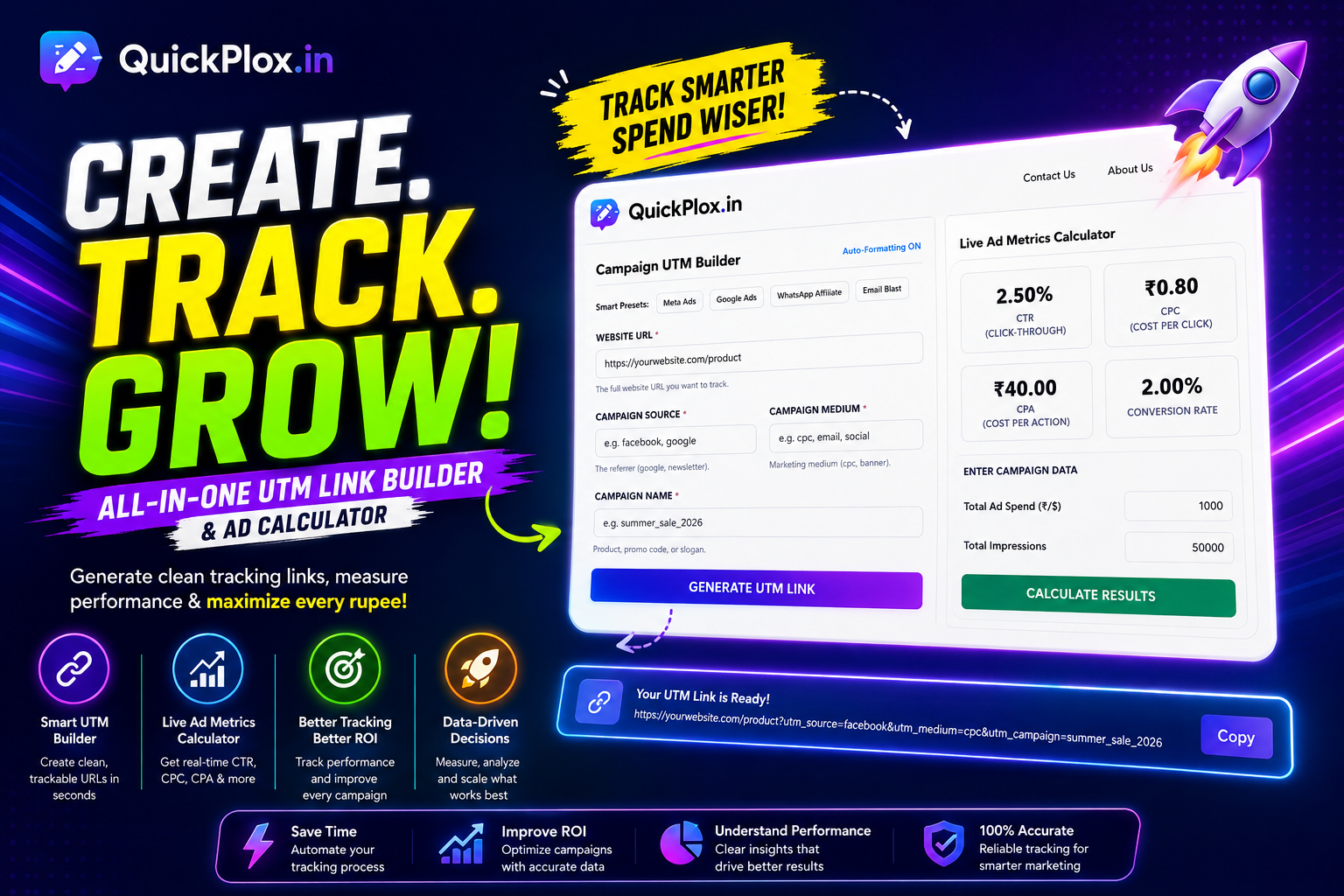
UTM Link Builder & Ad Calculator
Generate clean tracking URLs for your campaigns and calculate real-time ad performance metrics (CTR, CPC, CPA) all in one dashboard.
The Ultimate UTM Link Builder for Data-Driven Marketers
Running digital marketing campaigns without tracking is like driving blindfolded. Whether you are an affiliate marketer promoting exclusive e-commerce deals or a media buyer managing high-budget Meta Ads, you need to know exactly which click generated a sale. This is where our advanced utm link builder becomes your most valuable asset. It attaches specific tracking tags to your URLs, allowing analytics platforms to categorize incoming traffic with pinpoint accuracy.
Instead of manually typing long, complex URLs and risking syntax errors, our dynamic utm link builder automates the process. We have built-in a smart auto-formatting engine that converts spaces and capital letters into clean, SEO-friendly underscores, ensuring your links never break when shared across different platforms.
Understanding UTM Parameters: A Complete Guide
To get the most out of your campaign data in Google Analytics, it is crucial to understand how each parameter functions. Here is a breakdown of the standard tags generated by our tool:
-
1. Campaign Source (
utm_source): This identifies the specific platform or vendor sending the traffic.
Example:utm_source=facebookorutm_source=newsletter -
2. Campaign Medium (
utm_medium): This describes the marketing channel or the type of link used.
Example:utm_medium=cpc(Cost Per Click) orutm_medium=affiliate_link -
3. Campaign Name (
utm_campaign): The specific product promotion, slogan, or strategic identifier for your marketing push.
Example:utm_campaign=summer_sale_2026 -
4. Campaign Term (
utm_term): Used primarily for paid search to identify the exact keyword that triggered your ad.
Example:utm_term=buy_wireless_earbuds -
5. Campaign Content (
utm_content): Essential for A/B testing. Use this to differentiate between multiple ads or links pointing to the same URL.
Example:utm_content=blue_banner_ad
The Double-Tool Advantage: Built-in Ad Metrics Calculator
Most standard generators stop at simply creating the URL. However, as a professional advertiser, generating the link is only step one. Monitoring the financial performance of that tracking link is step two. We combined our utm link builder with a live Ad Metrics Calculator to eliminate user friction. You no longer need to switch tabs or open complex Excel spreadsheets to figure out if your campaign is profitable.
By simply entering your total Ad Spend, Impressions, and Clicks into the right-side panel, our calculator instantly processes the raw data. It delivers your Click-Through Rate (CTR), Cost Per Click (CPC), and Cost Per Acquisition (CPA) in real-time. This allows media buyers to evaluate marketing efficiency instantly. Once you have finalized your tracking parameters, we highly recommend utilizing our Social Media Text Formatter to draft a highly engaging caption for your newly created link before posting it!
Best Practices for Campaign Naming Conventions
A common mistake beginners make is using random or inconsistent naming structures for their UTM parameters. When you look at your analytics dashboard six months from now, “Campaign1” will mean nothing to you. To maximize the utility of this utm link builder, follow these strict naming rules:
- Always use lowercase: Analytics platforms treat “Facebook” and “facebook” as two entirely different traffic sources. Our tool features an auto-formatting engine that forces lowercase to prevent this data fragmentation.
- Use underscores instead of spaces: URLs cannot contain blank spaces. Our generator automatically replaces spaces with underscores (e.g.,
summer_sale) to ensure the link remains unbroken. - Keep it descriptive but short: A good campaign name includes the date and the product, such as
blackfriday_shoes_2026.
Tracking Your Links in Google Analytics 4 (GA4)
Once you have generated your URL using our utm link builder and users start clicking it, you will want to see the results. In Google Analytics 4 (GA4), this data is heavily prioritized. To view your campaign performance, navigate to the Reports section, click on Acquisition, and then select Traffic acquisition. By changing the primary dimension of the table to “Session source/medium” or “Session campaign”, you will see exactly how much traffic and revenue each specific tracked link brought to your website.
Frequently Asked Questions (FAQs)
What does a UTM link builder actually do?
A utm link builder is a utility that securely attaches Urchin Tracking Module (UTM) codes to the end of your standard website URL. These codes do not change the destination of the link; they simply pass valuable referral data to analytics software so you can see exactly where your traffic is coming from.
Does using a UTM link affect my website’s SEO?
No, using UTM tags does not negatively impact your SEO. Search engines like Google recognize UTM parameters and generally ignore them when indexing pages. However, to be perfectly safe from duplicate content issues, ensure your website utilizes canonical tags on its main pages.
Can I use UTM parameters for offline marketing?
Yes! You can generate a tracked URL using our utm link builder and then convert that long URL into a QR code. When users scan the QR code from a physical flyer or billboard, your analytics dashboard will track it just like a digital click.
How does the Ad Metrics Calculator determine CTR and CPC?
The tool uses standard marketing mathematics. Click-Through Rate (CTR) is calculated by dividing your total clicks by total impressions, then multiplying by 100. Cost Per Click (CPC) is calculated by dividing your total ad spend by the total number of clicks acquired.
What happens if I make a spelling mistake in my UTM tags?
If you make a spelling error, the link will still work and direct users to your website. However, the data will show up in your analytics dashboard exactly as you typed it (spelling error included). This is why utilizing our Smart Presets for Google Ads and Meta Ads is highly recommended to avoid manual typos.
Is this tool suitable for affiliate marketers?
Absolutely. Affiliate marketers heavily rely on tracking to see which WhatsApp group, Telegram channel, or YouTube video generated a specific sale. Using our Smart Presets, affiliates can generate tracked URLs in seconds and monitor their conversion rates efficiently without needing expensive third-party software.